Skip to main content Skip to footer

Reimagine the Way You Manage Information

Modernise how teams create, store and share documents. Connected Microsoft tools and powerful capabilities make information easier to find and enable better productivity.

A Smarter Approach to Managing Information

Empower your organisation with secure, scalable and intelligent tools that improve how information is stored and shared. Built on Microsoft technologies, our approach strengthens governance, improves discoverability and supports seamless everyday collaboration.

  • A central place to organise and access documents
  • Strong security, retention and compliance controls
  • Faster search and automated processes
  • Smooth collaboration across teams and locations
  • A platform that grows with your needs

Companies using SharePoint experience a 15% reduction in time spent on document management tasks

Jobera.com, Sharepoint Statistics, Facts and Trends [2026]

Security, Compliance & Reliability

  • Built on trusted Microsoft platforms with secure, enterprise‑grade foundations
  • Aligned with standards such as ISO and Cyber Essentials
  • Governance and access controls designed around your data and policies
  • Ongoing monitoring and optimisation to keep your AI solutions reliable

Making IT Work For You

Chess is one of the UK’s leading independent and trusted technology service providers, employing more than 240 skilled people across the UK, supporting over 18,000 organisations.

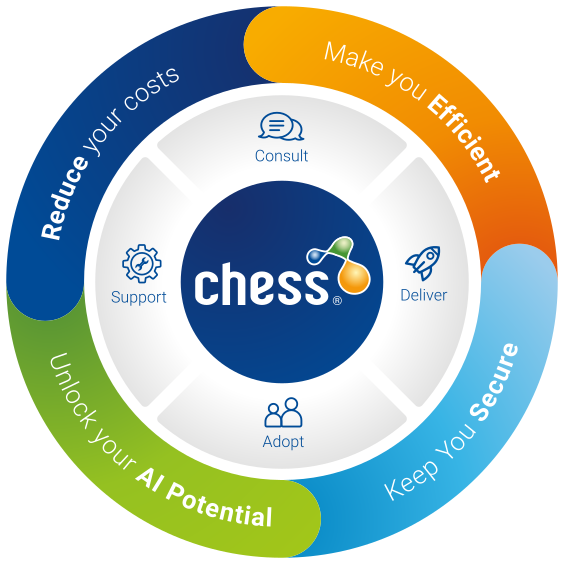
We believe IT should work for you, reduce costs, deliver efficiency, keep you secure, enhance your work-life balance, improving performance. At Chess, we’re passionate about our unique culture and our continuous investment in our people to be industry experts.

We’re extremely proud that our people voted us No.1 in ‘The Sunday Times 100 Best Companies to Work for’ list 2018, and we continue to celebrate more than 17 years in the top 100.

Frequently asked questions

Yes, documents can be edited using the web or desktop versions of familiar apps like Word, Excel and PowerPoint.

Editing in SharePoint enables a key benefit - document co-authoring, which enables two or more people to work on the same document at the same time.

Both SharePoint and OneDrive can store files in a similar way, but OneDrive is designed for purely personal while SharePoint is designed as an organisation-wide document management solution (amongst other capabilities that OneDrive does not have).

Yes, absolutely. SharePoint includes a number of features supporting document management, including flexible document libraries, metadata support, custom views, access control and link sharing.

A modern document management solution provides a centralised, secure and searchable location for all your organisation’s files. SharePoint Online supports version control, metadata, permissions, governance, and collaboration tools, helping teams work more efficiently.

SharePoint Online offers better search, improved security, automated governance, and seamless integration with Microsoft 365 tools such as Teams, OneDrive, and Outlook. While full migration isn’t required, many organisations achieve significant productivity and compliance gains by moving structured or collaboration-intensive content into SharePoint.

SharePoint combines metadata, tags, content types, and Microsoft Search to deliver fast, accurate results. Employees can filter by date, author, file type, keywords, or custom metadata, making it much easier and faster to locate files than using traditional shared drives or folder structures.

Yes. SharePoint is the underlying platform, while an intranet is the employee‑facing experience built on top of it. A modern intranet offers news, policies, forms, knowledge hubs and communication tools, all powered by SharePoint’s underlying content management, security & other capabilities.

In many cases, yes. Teams stores documents in SharePoint behind the scenes, giving you secure storage, version control, and structured access. Teams becomes the collaboration interface, while SharePoint manages the documents with governance and compliance built in.

Sprawl is a common issue with data platforms where there is no control over who, how and when people can create files and documents. Effective governance controls are essential to prevent this situation and include naming policies, templates, lifecycle rules, controlled site creation, sensitivity labels, retention policies, and automated access reviews. Some governance controls are built into SharePoint, while Microsoft Purview provides additional tools needed to maintain structure and reduce risk across your content estate.

Yes. Microsoft Purview allows organisations to automatically apply retention labels, sensitivity labels, data loss prevention (DLP), and audit controls. These ensure documents stay compliant with internal policies and external regulations throughout their lifecycle.

Project timelines vary depending on size and complexity. Smaller departmental solutions may take a few weeks, while organisation‑wide intranets or large content migrations can take several months. With any implementation, Chess’ structured approach, including discovery, design, implementation, migration, and adoption ensures that the solution fully meets the organisation’s requirements.

While some people are tech-knowledgeable and may be able to find their own way around, some level of training is always recommended. Modern document management often introduces new concepts such as metadata, versioning, and structured collaboration, and it can be very difficult for users to know exactly when and how to use these features. Training supports adoption, reduces confusion, and helps both users and the organisation get the most value from Microsoft 365 tools.

Absolutely. Chess can migrate content from network drives, older SharePoint versions, or many third‑party document systems. Generally, content migration project would include content analysis, metadata mapping and restructuring to ensure a secure, seamless transition. You can read a case study on a recent migration project we completed for Scottish Power or a similar one we completed for London Fire Brigade

Yes. SharePoint Online uses enterprise‑grade security, encryption, granular access controls, auditing, and compliance capabilities. When paired with Microsoft Purview, which provides additional governance, compliance and security controls, it can safely store highly sensitive documents and meet strict regulatory requirements.

SharePoint improves on file servers by offering advanced search, automated version control, metadata, permissions, retention policies, and anywhere‑access. It also enables document co-authoring and reduces the time employees spend finding documents.

When a file is stored on a traditional file share, only one person can work on it at a time. However, when a file is stored in SharePoint (or OneDrive), multiple people can work on the document simultaneously. This makes it much quicker for multiple people to create a document while reducing the problems caused by, for example, having multiple copies of a document that are merged later. Co-authoring works for Microsoft Word, Excel and PowerPoint documents.

Yes, it can. In fact, SharePoint is a widely used platform for creating intranet solutions. It supports features such as branding, news, policies, documents, forms, communications and user-targeted personalisation.

Yes. Features like document co‑authoring, version history, content types, and centralised libraries significantly reduce duplicate and versioning issues.

Microsoft Purview enables automated retention, sensitivity labels, data‑loss prevention, compliance reports, and access reviews. These controls ensure content stays secure, compliant, and governed throughout its lifecycle.    

Speak to an expert

Please fill in the form and one of our experts will get in touch to explore how we can help your business work smarter and achieve more.